The iPad has quietly shifted from being a simple media device into something much closer to a portable creative studio. What used to be a tablet for watching videos or browsing the web is now capable of supporting serious work in illustration, video editing, design, and even animation. Apple’s hardware improvements, combined with a mature App Store ecosystem, have turned the iPad into a flexible tool for both professionals and casual creators.
If you’ve ever felt like you “don’t have enough time” to be creative, the irony is that these apps are designed to lower the barrier so much that even short breaks or small pockets of free time can turn into meaningful creative sessions. Below is a detailed look at some of the most interesting iPad apps for creativity—focusing specifically on tools that are not the usual mainstream Adobe picks.
Lake: Creativity Without Pressure
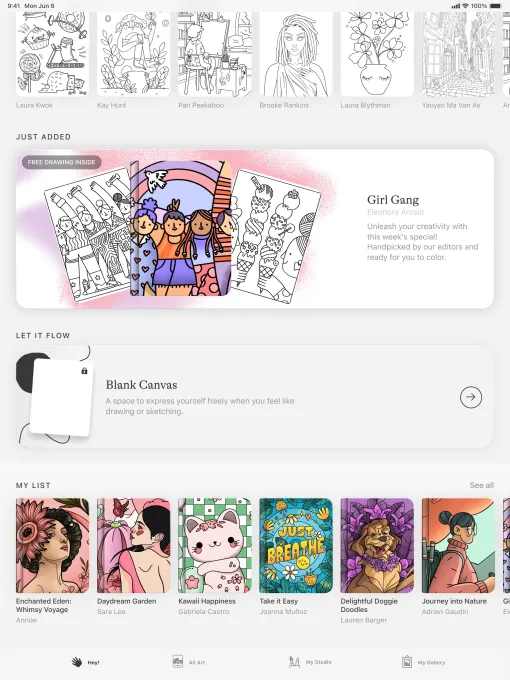
Not every creative tool needs to start with a blank page and pressure to “create something good.” Lake takes the opposite approach. It is built around relaxation and accessibility, offering users a way to color pre-drawn illustrations created by independent artists.
The app includes a large library of artwork and a wide selection of over 700 colors and brush styles. Instead of forcing users to design from scratch, it provides structured illustrations that can be customized at a comfortable pace.
For beginners or people who simply want a break from stress, Lake functions more like a digital mindfulness tool than a traditional art app. There is no expectation of skill level, and experimentation is encouraged—even if it means going outside the lines or ignoring conventional color rules.
While basic content is free, full access to its illustration library and features requires a subscription of around $9.99 per month, positioning it as a premium relaxation-focused creative platform.
Procreate: The Industry Standard for Digital Illustration
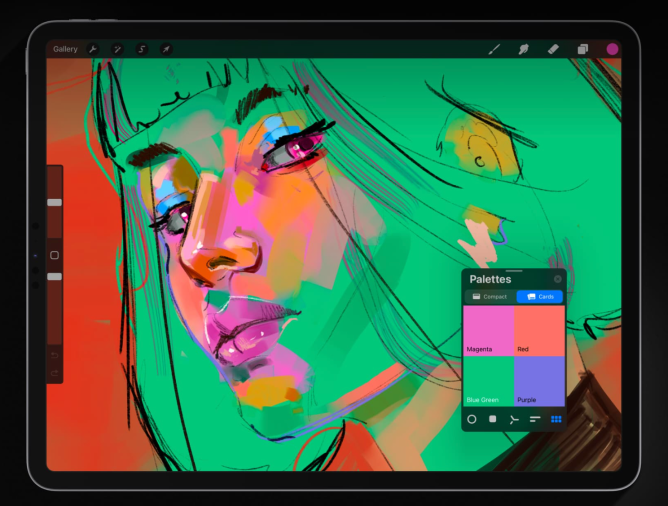
Among iPad creators, Procreate has become almost synonymous with digital drawing. It is widely used by illustrators, designers, and hobby artists because of its balance between simplicity and professional capability.
The app supports a large variety of brushes and tools that simulate traditional drawing techniques while offering digital flexibility. Users can work on extremely high-resolution canvases—up to 16K by 8K on supported devices—making it suitable for professional publishing or print work.
Procreate also includes advanced creative features such as gesture-based controls, QuickShape tools for clean geometry, and StreamLine for smoother brush strokes. These systems reduce technical friction so artists can focus more on expression and composition.
Beyond static artwork, Procreate also supports animation tools, allowing users to create storyboards, GIFs, and short motion sequences. One of its standout features is the time-lapse recording system, which automatically captures the entire creative process and compresses it into a shareable video.
Unlike subscription-based tools, Procreate is available for a one-time purchase of around $12.99, making it especially attractive for long-term use without ongoing costs.
LumaFusion: Mobile Video Editing at a Professional Level
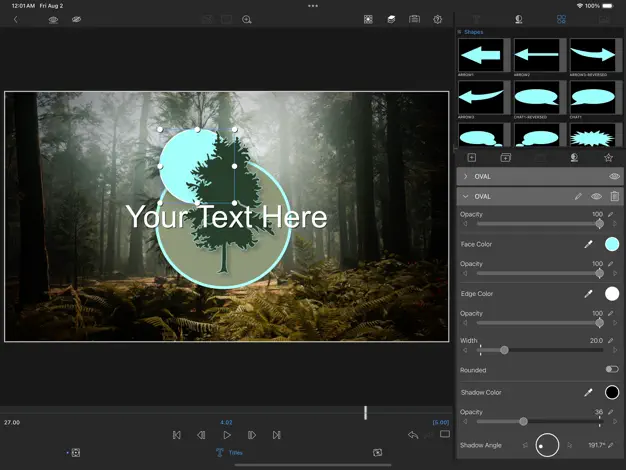
For users interested in video production, LumaFusion stands out as one of the most powerful editing tools available on iPad.
Originally positioned as an upgrade from iMovie, it has grown into a professional-grade editing suite used by independent filmmakers, content creators, and journalists working on the go.
The app supports multi-layer editing with 4K and HDR footage, allowing users to build complex video timelines with multiple audio and visual tracks. It also includes transitions, effects, voice-over recording, and advanced audio controls such as EQ adjustments and voice isolation.
One of its strengths is flexibility in output formats. Users can create content in different aspect ratios including traditional widescreen, vertical formats for social media, and cinematic layouts used in film production.
LumaFusion is priced as a one-time purchase of approximately $29.99, with optional add-ons such as multicam editing and integration with desktop workflows like Final Cut Pro.
Canva: Fast, Accessible Design for Everyone
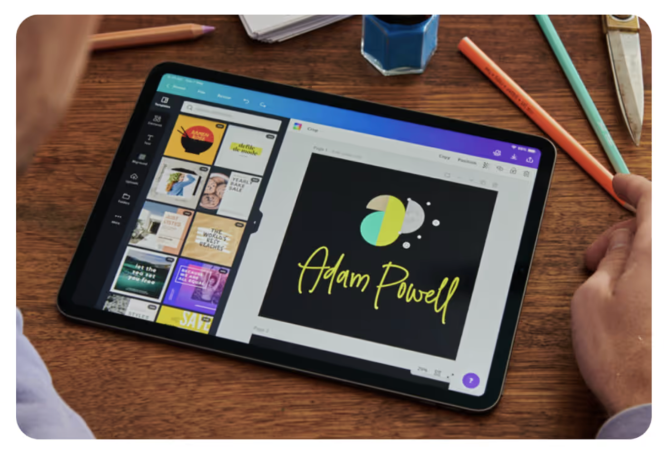
Canva has become one of the most widely used design platforms because it removes the technical barrier from visual content creation.
It allows users to quickly build presentations, posters, videos, social media graphics, websites, and more using a massive library of templates—reportedly in the hundreds of thousands.
Unlike traditional design software, Canva is built for speed and accessibility rather than deep technical control. Users can drag, drop, and modify elements without needing design training.
In recent years, Canva has also integrated AI-powered tools that assist with content creation. Features like automatic image generation and layout expansion help users produce polished designs faster than manual editing would allow.
While the platform is free to use, premium features and advanced AI tools are available through a subscription of about $12.99 per month.
Affinity Designer 2: Professional Vector and Pixel Design
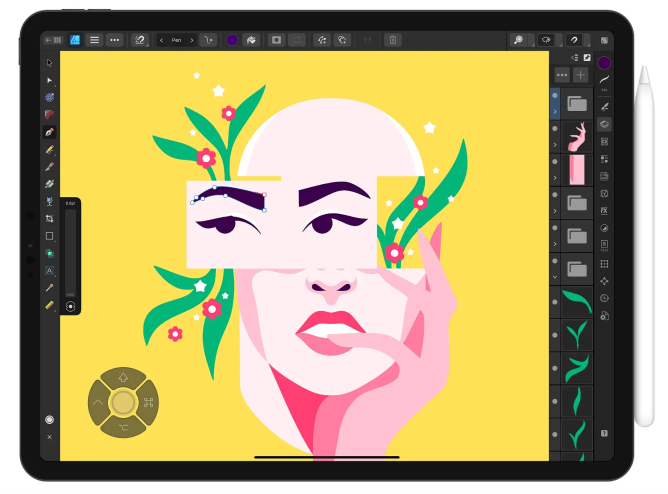
For more advanced users, Affinity Designer 2 offers a hybrid design environment that combines vector graphics, pixel editing, and retouching in a single application.
This makes it suitable for professional tasks such as logo design, UI/UX development, illustration, and branding work. Unlike simpler tools, it provides deep control over precision, scaling, and layer structure.
One of its key strengths is performance. It supports extremely high zoom levels—up to 1,000,000%—allowing designers to work on minute details with accuracy. It also fully supports Apple Pencil features such as pressure sensitivity and tilt, making it feel close to traditional illustration workflows.
The app is available as a one-time purchase of around $18.49, which positions it as a long-term professional investment rather than a subscription-based service.
Concepts: Idea Development and Visual Thinking
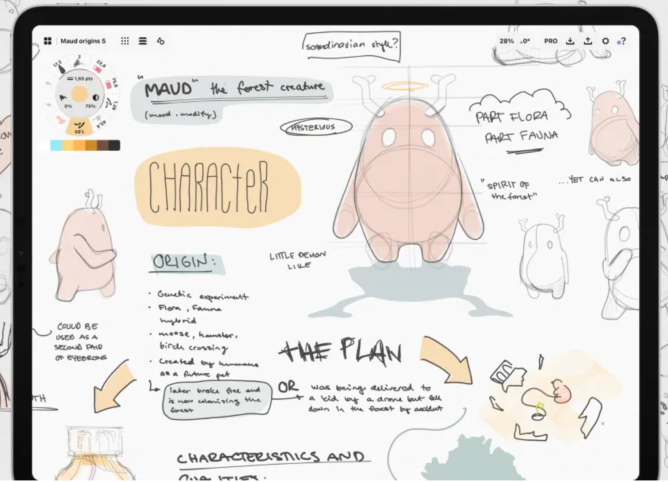
Concepts is designed less as a traditional drawing app and more as a flexible thinking space for visual planning.
Users can sketch ideas, create mind maps, build diagrams, and experiment with layouts. Its infinite canvas allows projects to grow organically without predefined boundaries.
A key feature is its editing system, which allows users to modify individual elements without redrawing entire sections. Tools like Slice, Nudge, and Select make it easy to reorganize sketches as ideas evolve.
The app also includes real-world measurement tools, making it useful for architectural sketches, product design, and technical planning.
Basic functionality is free, with additional tools available through a subscription of about $4.99 per month.
Tayasui Sketches: Minimalist Drawing With Natural Feel
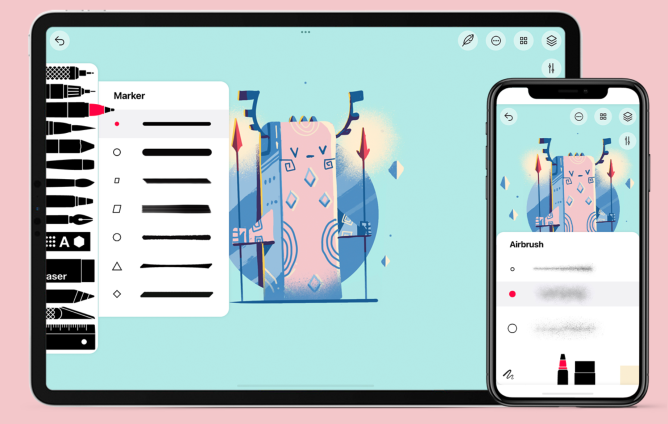
Tayasui Sketches focuses on simplicity and realism, aiming to replicate the feel of traditional drawing materials such as pencils, ink pens, and watercolor brushes.
It offers blending tools, gradient effects, and soft brush behavior that mimics real paint interaction. The interface is intentionally minimal, helping users focus on drawing rather than navigating complex menus.
A “Zen Mode” further reduces distractions by hiding unnecessary interface elements.
While the base version is free, additional features such as advanced layers, brush customization, and backup tools are available through a small monthly subscription.
Dudel Draw: Daily Creative Challenges
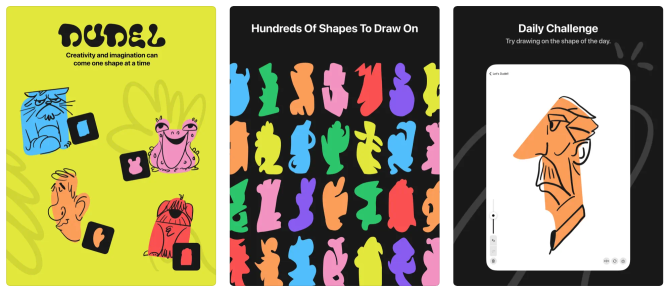
Unlike most creative apps, Dudel Draw introduces structure instead of freedom.
Each day, users are given a randomly generated shape as a starting point and are challenged to turn it into a drawing. These shapes range from simple geometric forms to abstract patterns, encouraging creative interpretation rather than technical precision.
The app also allows users to rotate or flip the shape to view it from different perspectives, adding another layer of experimentation.
It is designed more as a creative exercise than a professional tool, making it ideal for building consistency and visual thinking habits over time.
The app is free to use.
Sketchbook: Traditional Drawing Experience in Digital Form
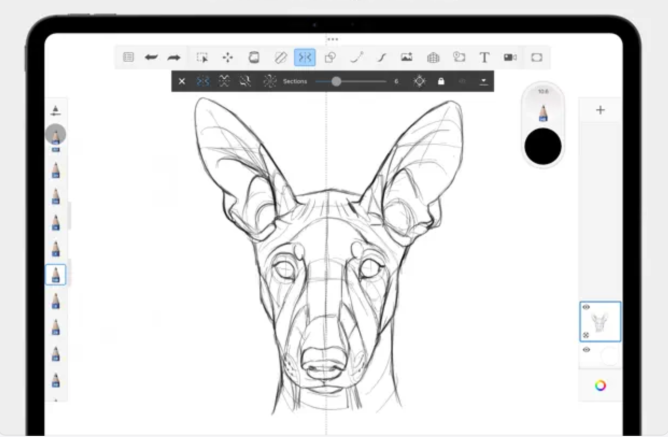
Sketchbook is built to replicate the feeling of drawing on paper while still taking advantage of digital flexibility.
Its interface is intentionally minimal, hiding tools and palettes to keep focus on the canvas. This makes it especially appealing for users who prefer a distraction-free environment.
The app supports customizable brushes, allowing control over size, opacity, and stroke behavior. It also includes predictive stroke technology, which smooths lines for cleaner results.
While basic features are free, a small one-time purchase unlocks additional tools such as extended brush libraries, advanced canvas control, and enhanced export options.
Final Thoughts
What makes these iPad apps interesting is not just their individual features, but how they collectively reflect a broader shift: creativity is becoming more accessible, more portable, and more integrated into everyday life.
You no longer need a full studio setup or professional training to start designing, editing, or illustrating. Instead, creativity can happen in short bursts—on a commute, during a break, or whenever inspiration appears.
The real change is not just in the apps themselves, but in how they reshape the idea of what “having time to create” actually means.